
When Xcode code completion isn’t working in VS Code or Cursor, the cause is almost always the same: you open a .xcodeproj or .xcworkspace, and completion, go to definition and imports break, often with “No such module” everywhere. The editor can’t see the project’s build settings, so it doesn’t know which SDK, compiler flags or library paths each file uses. Install the free KXApp extension and it hooks those settings up as soon as you open the project, so completion and navigation match Xcode. Below: the cause first, then fixes by symptom. Current as of October 2026, for Xcode 16 and later.
Before you start: Xcode is installed on the Mac and has been opened once, and xcode-select -p in Terminal prints a path inside Xcode.app. If the extension isn’t installed yet, follow the install page.
Why is Xcode code completion not working in VS Code?
Swift and Objective-C completion needs to know how each file is compiled: target platform, SDK, compiler options and the paths of its dependencies. That information lives in the Xcode project and its build products.
| How you open it | Swift package | Xcode project (.xcodeproj / .xcworkspace) |
|---|---|---|
| VS Code with only the official Swift extension | Full completion | Can’t see the project’s build settings; partial completion, missing symbols and “No such module” are common |
| VS Code / Cursor + KXApp | — | Reads the project settings for the current scheme, build configuration and run destination; completion matches Xcode |
So the problem isn’t VS Code itself. It’s whether something hands the Xcode project’s build settings to the editor.
How do you fix Swift completion in VS Code and Cursor?
- Search for kxapp in the Extensions view (Cmd+Shift+X) and install it. Cursor users install it the same way from the Extensions view.
- Use File › Open Folder… to open the folder that contains your
.xcodeprojor.xcworkspace. - Wait a few seconds. The extension puts a
buildServer.jsonat the root of the opened folder (completion depends on it, and you can add it to.gitignore). If the project hasn’t been built yet, the extension builds it once in the background so Swift packages, CocoaPods and other third-party libraries get completion too. - Open any
.swiftfile, type.to see the completion list, and press F12 to go to a definition.
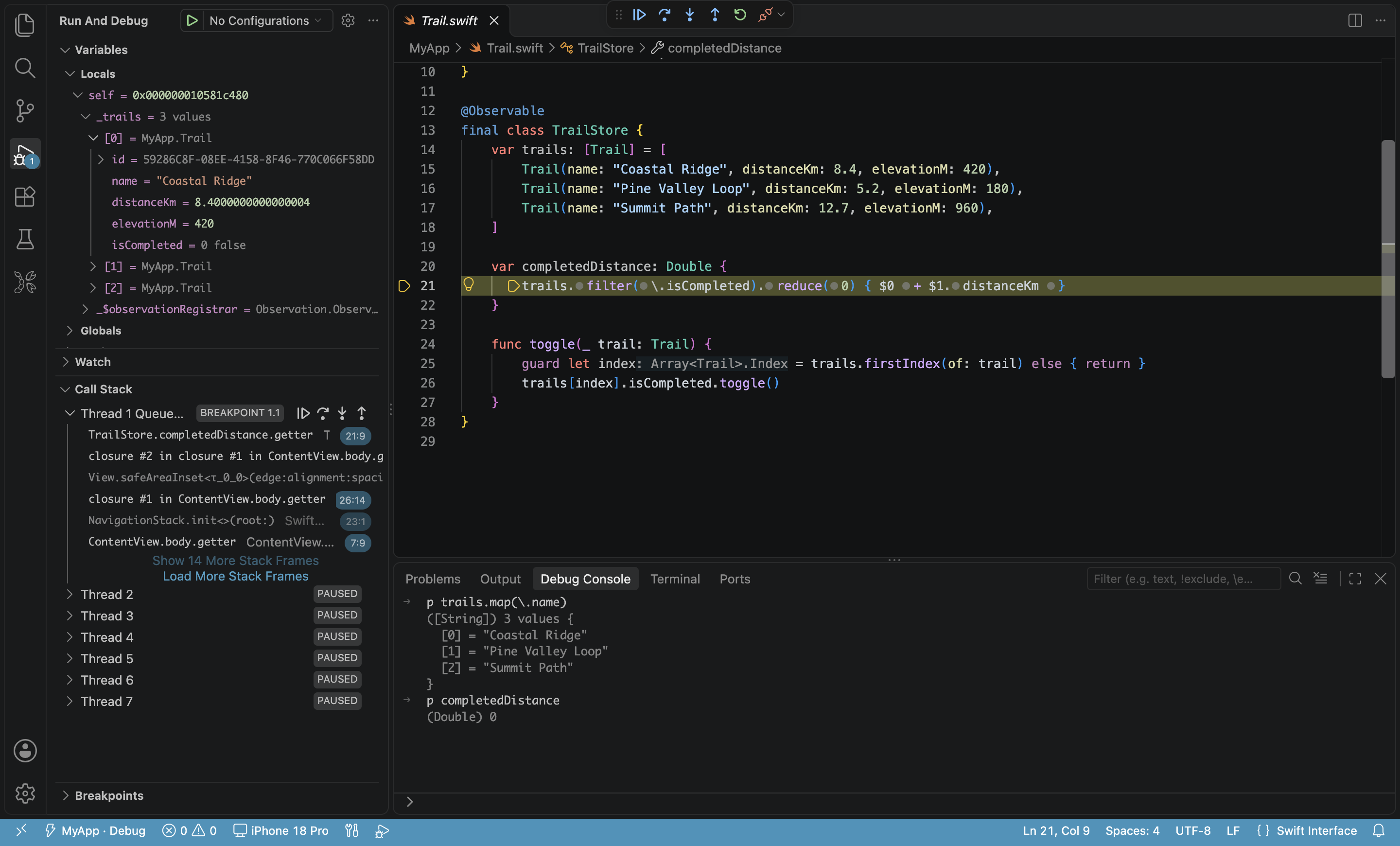
From then on, completion follows the selected scheme, build configuration and run destination, and updates when you switch them in the status bar. Swift, SwiftUI, Objective-C, C and C++ all get completion, go to definition, hover docs, find references and live errors.
Still not working? How do you fix No such module and other symptoms?
| Symptom | Cause | Fix |
|---|---|---|
| “No such module” for third-party libraries (Swift packages, Pods) | Dependencies haven’t been built yet | No manual build needed: the extension builds once in the background, the error may show briefly and clears when the build finishes. Large projects take longer; you can also press Cmd+B once |
| Modules not found in a CocoaPods project | The .xcodeproj was opened, or pod install hasn’t run |
Make sure the .xcworkspace is used and pod install has run; when a workspace and project with the same name both exist, the extension picks the workspace |
No completion at all, and the opened folder already has someone else’s buildServer.json |
The file belongs to another tool (such as xcode-build-server), and the extension won’t overwrite it | Delete that buildServer.json, then run “Developer: Reload Window” |
| Completion is stuck or errors are clearly stale | The completion service is in a bad state | Run “kxapp: Restart Code Completion” from the Command Palette |
| Go to definition or find references misses symbols that exist | The index is incomplete | Run “kxapp: Re-Index Project” from the Command Palette |
| Every suggestion or error shows up twice | Another C / Objective-C language extension such as clangd is installed | Disable one of them, or remove those languages from the kxapp.swiftSourcekitLspSupportedLanguages setting |
Objective-C highlighting is wrong in .h files |
VS Code treats .h as C++ by default |
Add "files.associations": { "*.h": "objective-c" } to your settings (completion isn’t affected) |
| Completion is wrong after switching scheme or run destination | Completion follows the current selection | Wait for it to update; if it’s still wrong, run “kxapp: Restart Code Completion” |
| The Xcode Project view doesn’t appear | No project was detected, or xcode-select points at the Command Line Tools |
Make sure the folder contains a project (ones under Pods, build or DerivedData don’t count); run sudo xcode-select -s /Applications/Xcode.app |
If it still doesn’t work, attach the contents of the kxapp and kxapp Build channels from the Output panel to a GitHub issue.
Which settings affect code completion?
| Setting | What it does |
|---|---|
kxapp.build.prepareForCodeCompletion |
Quietly builds once in the background when the project hasn’t been built (on by default); turn it off if you don’t want that |
kxapp.swiftSourcekitLspBackgroundIndexing |
Background indexing: auto / on / off |
kxapp.swiftSourcekitLspSupportedLanguages |
Languages the extension provides completion for; remove C / C++ here to let another extension handle them |
kxapp.swiftPath |
Use a different Swift toolchain; empty means the Xcode selected with xcode-select |
kxapp.swiftSourcekitLspDisable |
Turns code completion off entirely |
Every setting you might touch while fixing Xcode code completion is in the settings reference.
FAQ
Do I need to install xcode-build-server separately?
No. KXApp ships the service completion needs, so it works as soon as you open the project. If the project already has a buildServer.json generated by xcode-build-server, the extension leaves it alone; to switch to KXApp’s completion, delete that file and reload the window.
Should buildServer.json be committed to Git?
No. The extension generates it on your machine, so add it to .gitignore.
How long does completion take the first time I open a project?
Usually a few seconds. Projects with many dependencies need the background build to finish before third-party libraries get completion. If you start a build yourself, the background build steps aside immediately.
Does this work in Cursor too?
Yes. Search for kxapp in Cursor’s Extensions view and install it; once the Xcode project is open, completion and navigation work the same as in VS Code.